APEX LEGENDS CHEATS
CHEATS
Popular

Apex Elite

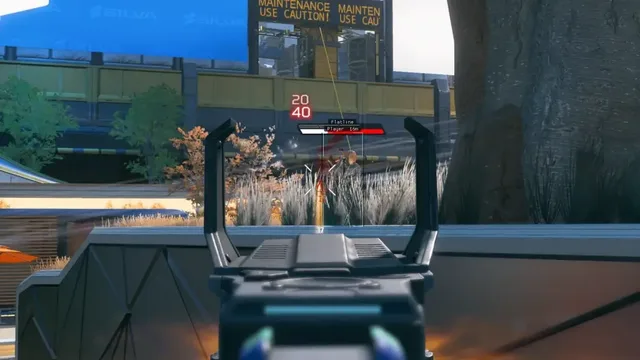
Elite tier is the full private suite—aimbot, no recoil, player ESP, loot ESP, auto loot helpers, Skin Changer and priority EAC patch delivery for Steam / EA app PC.

Windows PC · Partner checkout · Instant portal access

At a glance

Elite Apex Legends cheat capabilities

What Elite focuses on for Apex Legends on Steam before you open the full module list.

Aimbot / Soft Aim
No Recoil / Spread
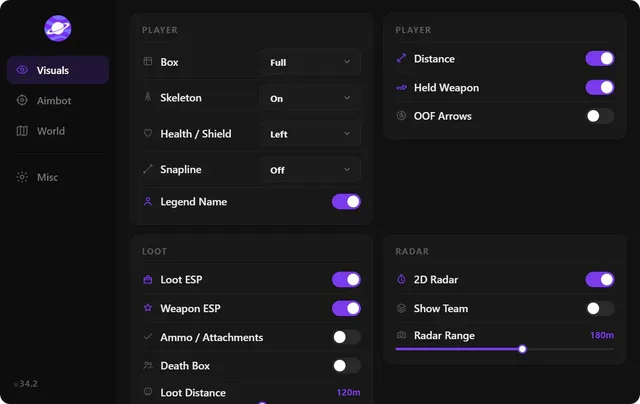
Player & Loot ESP
Loot Helpers
Skin Changer
Priority patch queue

Plus 42 additional modules in the operator portal—see the full list below.

Get access

Overview

Built around a full Apex Legends operator workflow

How this Apex Legends build fits Ranked, Pubs, and patch-day workflows.

Elite tier is the top combat package on this site—every Lite and Pro module plus Loot Helpers, Skin Changer, priority patch delivery and the full ESP suite.

Elite slots are limited so patch cycles stay fast and builds stay maintainable. Direct dev support in Discord helps you tune conservative profiles before joining Ranked lobbies. Check the status banner on apexlegendscheats.org before purchase.

Apex Elite is the private build for players who want everything—Auto Loot Helper, combat assist, Skin Changer, full ESP suite and direct developer support. Limited slots keep the build maintainable and patch cycles fast.

Use Elite responsibly

Elite power demands disciplined profiles. Test on a firing range or casual match, start with portal conservative presets, and scale up over days—not minutes. Staff in Discord help Elite users tune before their first Ranked or Pubs session.

Full bot and finish suite

Auto Loot Helper, combat assist, Skin Changer and the full ESP suite with care package and POI alerts. Use firing range testing before Ranked play—Elite power requires disciplined profiles, not rage settings.

Availability

Elite shows as limited slots on the status banner. Open a Discord ticket if checkout is gated—staff confirm slot availability before purchase.

Modules

What's included in Elite for Apex Legends

Every Apex Legends module and overlay shipped with Elite—toggle and tune in the operator portal.

  • All Lite + Pro modules
  • Auto Loot Helper
  • Loot route hints
  • Auto pickup & stack manager
  • Combat assist
  • Auto finish helper
  • Full ESP suite
  • POI & ring alerts
  • Vision & proximity detector
  • Skin Changer (Unlock All)
  • Priority patch queue
  • Direct dev Discord support
  • Elite conservative presets
  • Cloud config backup
  • Patch auto-updater
  • Private slot access

Experience

In the client · After you buy

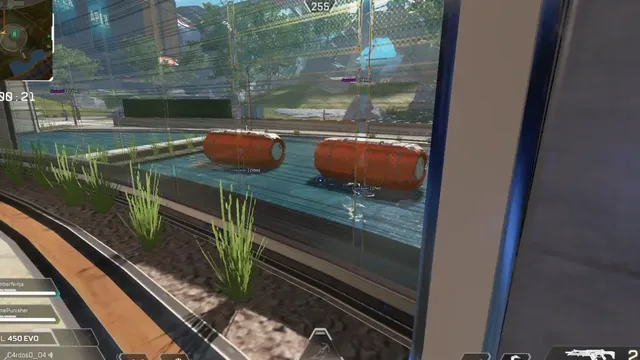
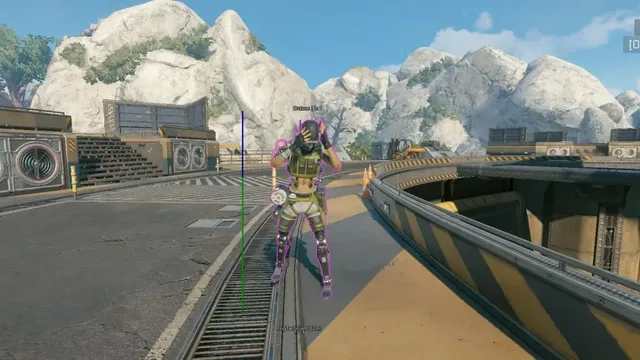
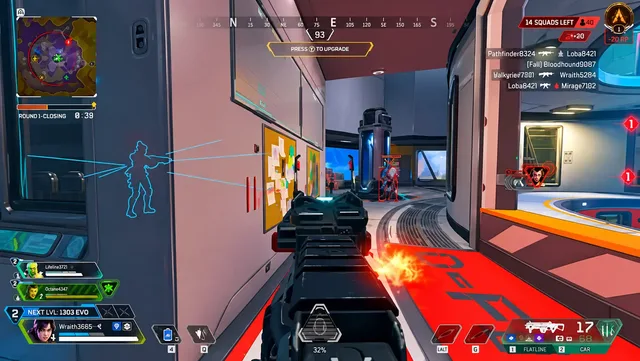
Use the screenshots above for Elite—below is what each layer means and how access works after checkout.

In-game layers

  • Layer A

    Aimbot menu

    Soft aim, FOV and bone select

  • Layer B

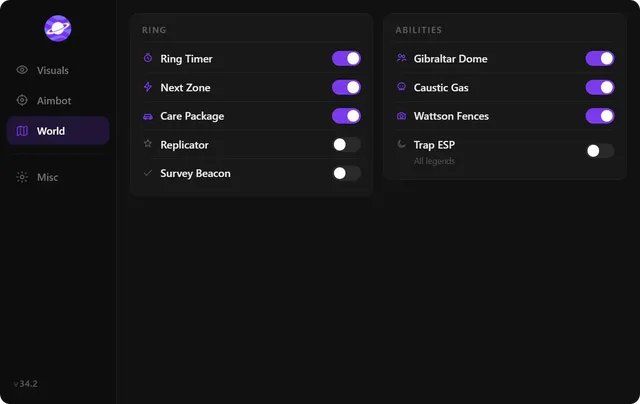
    World ESP

    Loot, death boxes and map overlay

  • Layer C

    Misc & QoL

    Stream-proof and hotkeys

  • Layer D

    Map awareness

    Care packages and beacons

  • Layer E

    Player visuals

    ESP boxes, skeletons and health

Guides

Curated Apex Legends articles for setup, tuning, and patch-day checks that match this product.

Elite is the full Apex Legends cheats suite: aimbot, ESP, Loot Helpers, Skin Changer and priority patches. See who should buy Elite and how to check out.

Feature guide: Player ESP, Loot ESP, Aimbot, No Recoil, FOV hack and Skin Changer by Lite, Pro and Elite tier—compare modules before checkout.

Apex Legends ESP and wallhack guide: 2D boxes, skeletons, health bars, loot filters, distance caps and in-game examples for Lite, Pro and Elite.

Apex Legends or EAC patch just dropped? Check live status, pick the right tier and buy safely—patch-day checklist for checkout and first launch.

Step-by-step buy guide: choose Lite, Pro or Elite, pay at secure checkout and unlock your portal. The 2026 walkthrough from tier pick to first launch.

Admin console codes only work where you are admin. See what works on Ranked lobbies and when a private loader with ESP and aimbot is the right buy.

FAQ

Questions about this page

Answers tied to what you are reading—visit the FAQ page for every topic.